
Set Up Kommo Integration
Set Up Kommo Integration
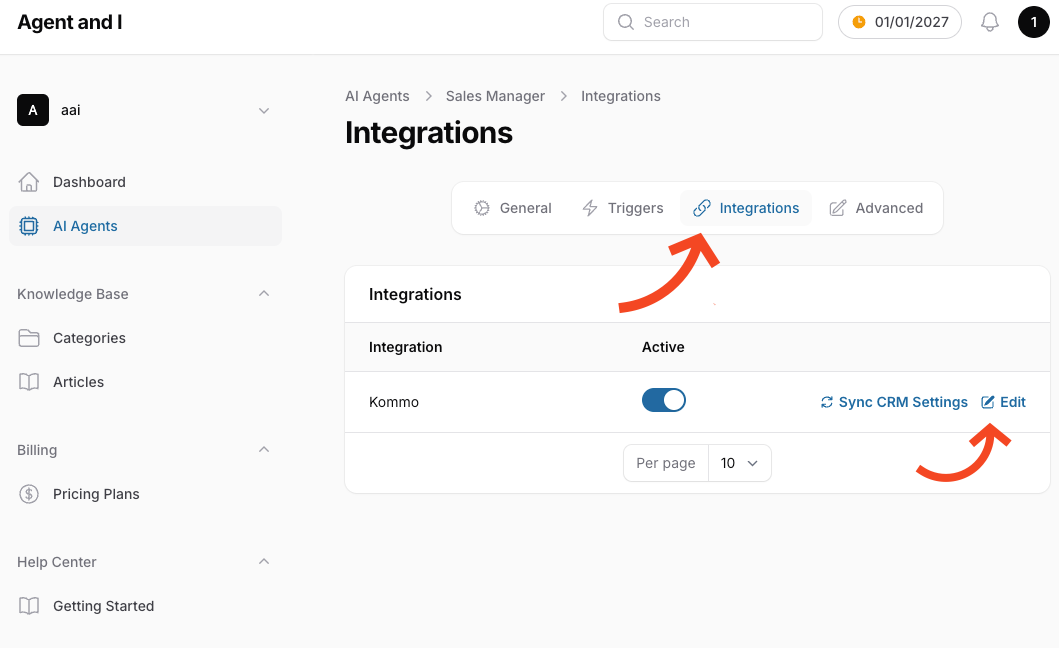
Section titled “Set Up Kommo Integration”- In your AI agent settings, navigate to the Integrations tab.
- Click Sync CRM Settings to sync your Kommo pipelines and lead stages settings.
- Click Edit to configure the integration settings.
Choose Pipelines
Section titled “Choose Pipelines”- Scroll down to the Pipeline Settings section in your AI agent settings.
- Choose which pipelines and lead stages your agent should handle.
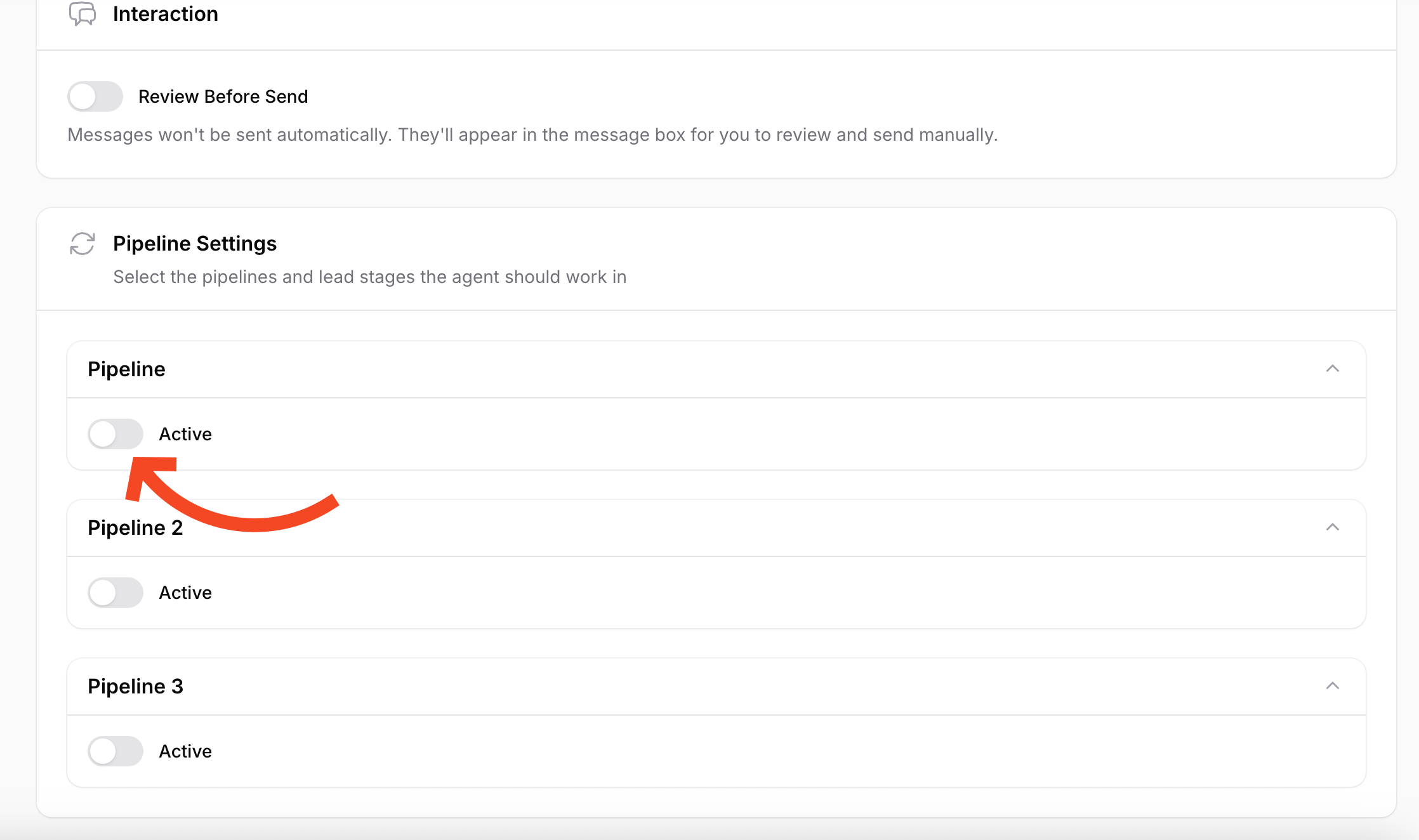
- Your AI agent will only respond to messages in the activated pipelines.
That’s it! Your AI agent is now ready to use and will automatically respond to messages in the selected pipelines.