
Getting Started
To get started, do three things: fill in your agent’s instructions, choose the pipelines it works in, and check its connection to Kommo.
Fill In Agent Instructions
Section titled “Fill In Agent Instructions”The instructions tell your agent who it is, what your business does and how to talk to clients.
- Open AI Agents in the sidebar and click your agent.
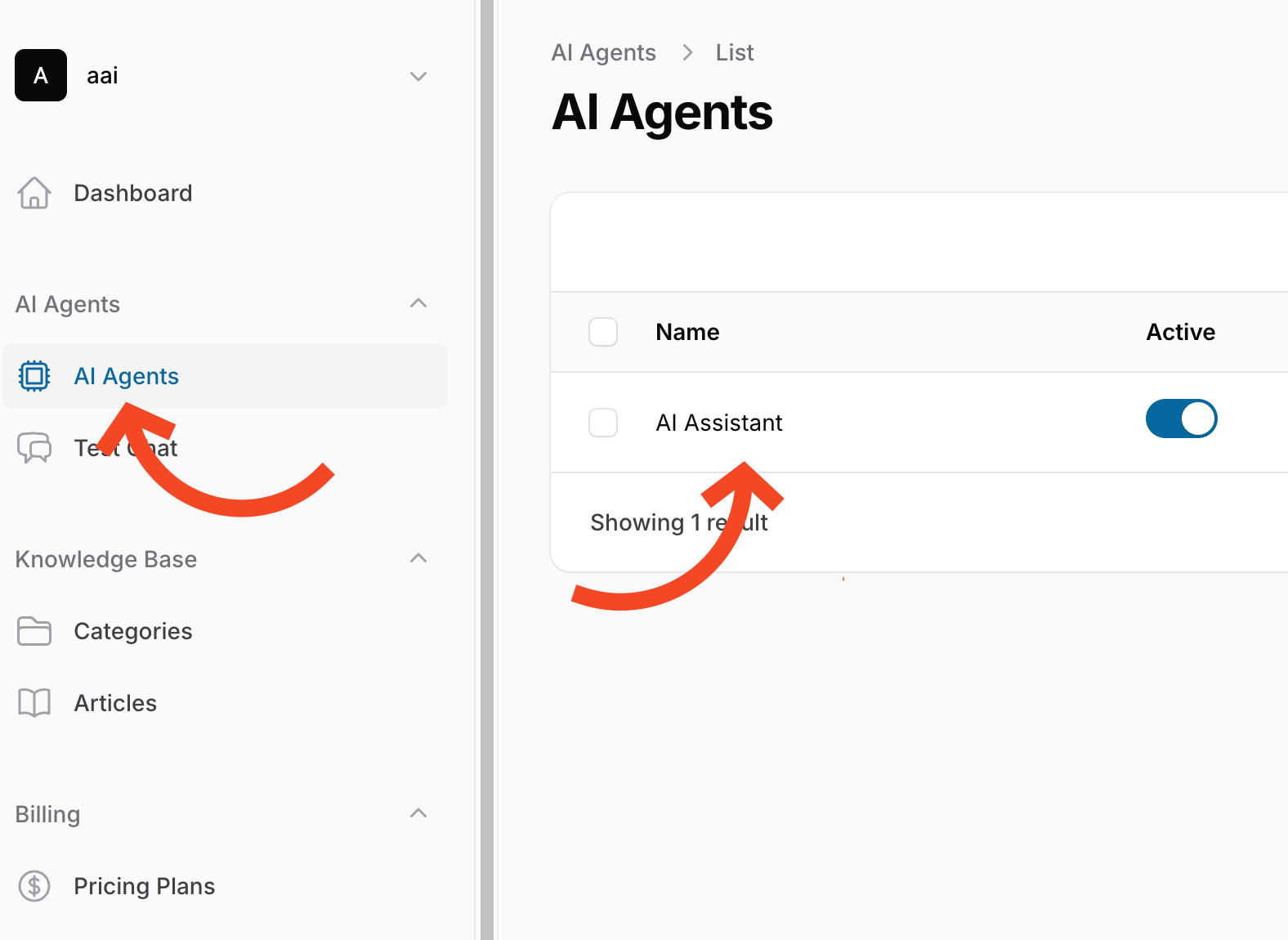
- Fill in the Agent Instructions field with information about your business. Add any other details and instructions your agent needs.
- Click Save changes.
Choose Pipelines
Section titled “Choose Pipelines”Now tell your agent which pipelines to work in:
- On the same page, scroll down to the Pipeline Settings section.
- Choose which pipelines and lead stages your agent should handle.
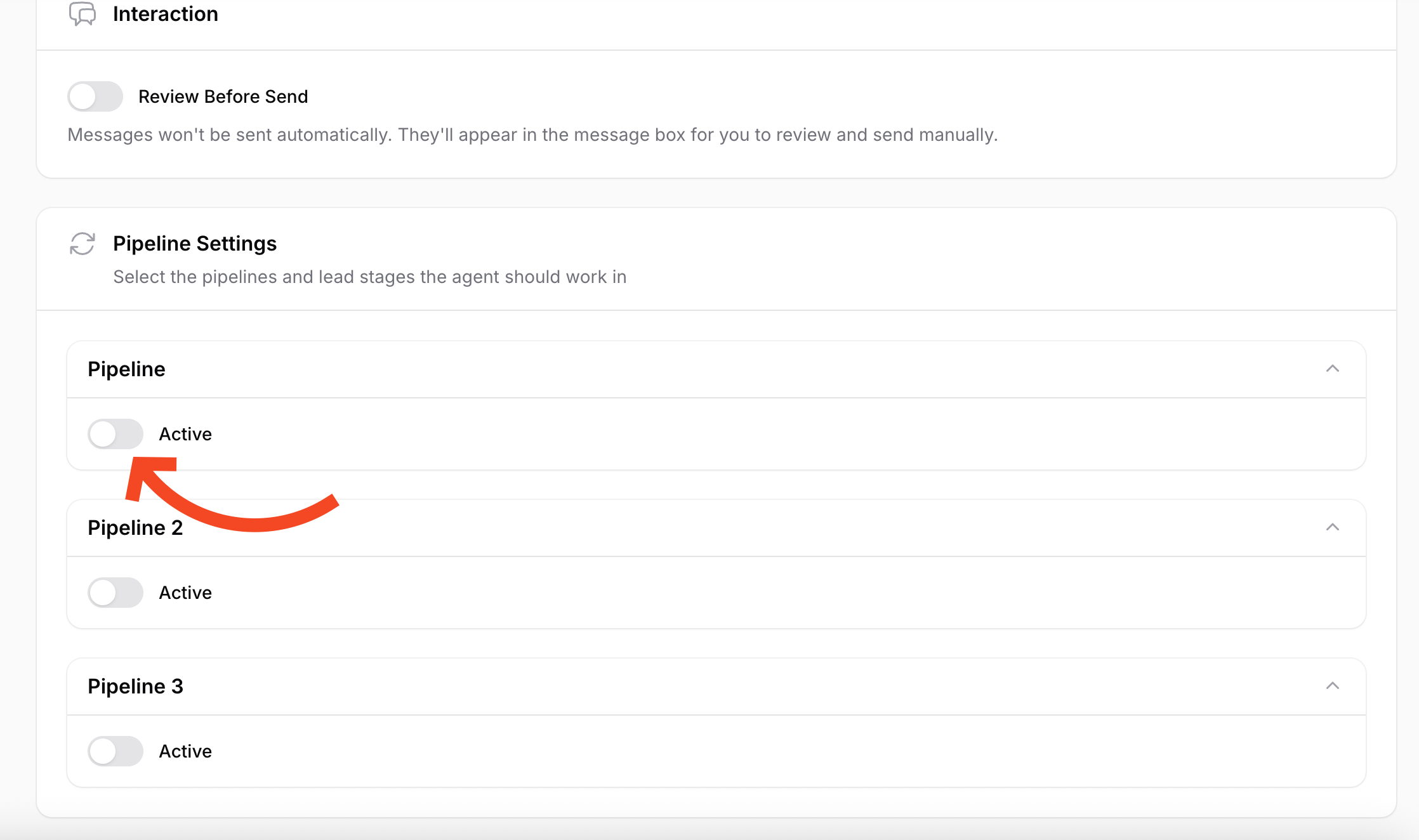
- Click Save changes to apply your settings.
Your AI agent will only respond to messages in the activated pipelines.
Check the Salesbot Connection
Section titled “Check the Salesbot Connection”Your agent exchanges messages with Kommo through a Salesbot connection. GPT Agent sets up this connection for you when you install it in Kommo. You only need to check that it works:
- In your AI agent settings, click Integrations at the top of the page.
- Select Kommo from the list.
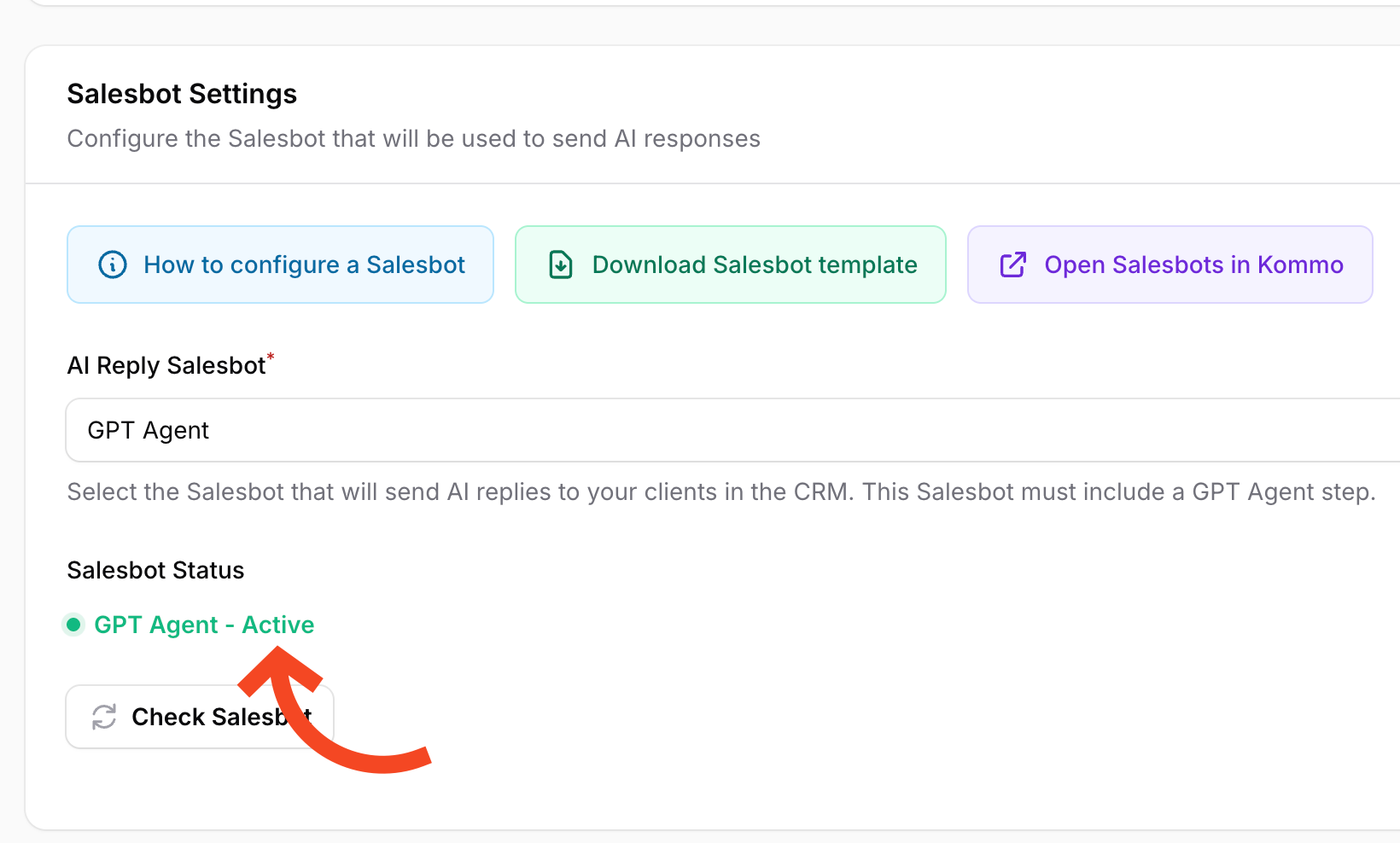
- Scroll down to Salesbot Settings.
- Make sure the Salesbot Status shows Active.
Next Steps
Section titled “Next Steps”-
Setup AI Agent Settings. Customize your AI agent’s tone, style, and behavior to match your business needs.
-
Add Information to Knowledge Base. Add your business information to make your AI agent smarter and more helpful.
-
Explore Response Settings. Learn how to control when and how your AI agent sends messages.
-
Configure Kommo Integration. Adjust how your AI agent interacts with Kommo.
What’s Next?
Section titled “What’s Next?”This is just the beginning! We’ve launched our first version and are already working on new features and additional instructions that will be available soon.
We’d love to hear your feedback.